Image Resize Tool
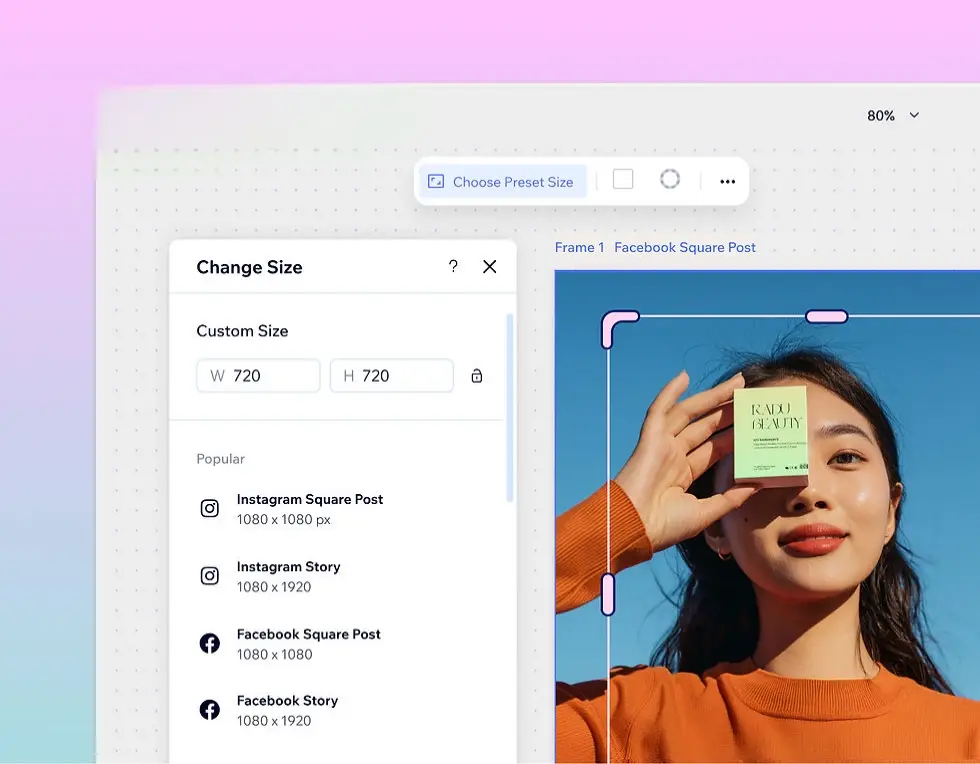
Image Resize Tool — Resize Images Online Quickly & Accurately
Resize any image instantly with our simple Image Resize Tool. Whether you need a smaller version for faster web pages, a perfectly sized image for social media, or a cropped product photo for your store, this tool lets you set exact pixel dimensions and download the result immediately. Everything happens in your browser — no uploads, no accounts, and no risk to privacy.
Why resize images?
Properly sized images speed up websites, improve user experience, and reduce bandwidth costs. Using full-resolution images where smaller sizes would suffice slows pages and hurts SEO. Resizing images to match their displayed dimensions eliminates unnecessary bytes and helps your site perform better across devices.
Key features
- Exact pixel resizing: Enter width and height in pixels for precise control.
- Aspect ratio lock: Maintain original proportions with one click.
- Quick presets: Common sizes for web, social, and thumbnails.
- Crop & rotate: Trim and orient images for perfect framing.
- Client-side processing: Files remain on your device for privacy.
How to use
- Click “Choose image” or drag & drop your photo.
- The image preview will load and show original dimensions.
- Enter new width and height, or lock aspect ratio to auto-calculate.
- Choose output format (PNG/JPG) and quality (for JPG).
- Click “Resize & Download” — your resized image is ready.
Best practices & recommendations
- Web hero images: 1200–2000px width depending on layout.
- Product photos: 800–1200px for good detail with manageable file size.
- Thumbnails: 150–400px.
- Avoid upscaling: Enlarging small images reduces quality — use high-quality originals or dedicated upscalers.
Use cases
- E-commerce product images sized consistently across catalog pages.
- Social media images resized to platform-specific dimensions.
- Email marketing images optimized for faster load times.
- Blog post images resized to match content width for better site speed.
Performance & privacy
Our Image Resize Tool works fully in the browser using HTML5 canvas. That means rapid processing and zero uploads. Your images never leave your device.
Call to action
Resize your images now — upload, set dimensions, and download within seconds. Improve page speed and image consistency across your site.