Image Compressor
Upload image → Select quality → Compress → Download
Best Free Online Image Compressor – Reduce Image Size Without Losing Quality
If you are looking for a fast, reliable, and high-quality online image compressor, you’re in the right place. Our tool helps you reduce image file sizes instantly while keeping the original clarity intact. Whether you want to optimize images for your website, social media, email attachments, or storage, this image compressor delivers outstanding performance in just a few clicks.
Large image files slow down websites, increase bounce rates, consume more bandwidth, and make uploading or sharing unnecessarily difficult. That’s exactly why a smart and powerful image compression tool is essential for every digital user today — from bloggers and students to designers and business owners.
Our online image compressor works with all popular formats including JPG, JPEG, PNG, and WEBP. You simply upload your file, choose your compression level, and download the optimized image instantly. No installation, no signup, and no technical knowledge required.
Why Use an Online Image Compressor?
Image compression is not just about reducing file size — it’s about improving performance, SEO, and user experience across all platforms. Here’s why you should be using it:
1. Faster Website Loading Speed
High-resolution images are the biggest reason websites load slowly. Google ranks fast websites higher, which means compressing images directly improves your SEO and visibility. When your images are optimized, your pages load instantly, keeping users engaged and reducing bounce rates.
2. Better SEO Performance
Search engines reward websites that load quickly and perform smoothly on all devices. Image compression helps achieve:
Higher PageSpeed scores
Better mobile performance
Improved Core Web Vitals
Increased ranking potential
If you care about SEO, using an image compressor is non-negotiable.
3. Save Storage Space
Compressed images take significantly less space — sometimes up to 80% smaller. Whether you are storing images in Google Drive, on your phone, or in cloud services, compression helps you manage storage efficiently.
4. Smooth Uploading and Sharing
Smaller images upload faster on:
Websites
E-commerce listings
How It Works (Step-by-Step)
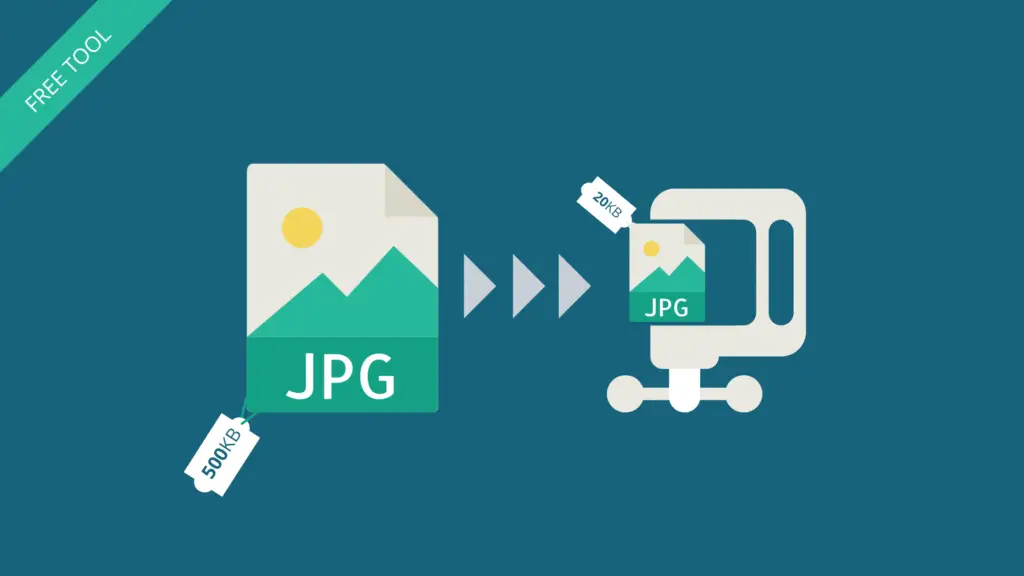
Using our image compressor is extremely simple:
1. Upload an image from your device.
2. Choose compression level – normal, medium, or high.
3. Click compress and let the tool optimize your image.
4. Download the compressed file instantly.
The entire process takes only a few seconds and is 100% secure — your files are never stored on our server.
Features of Our Online Image Compressor
Works with JPG, JPEG, PNG, WEBP
✔ Reduces size up to 80%
✔ No watermark
✔ No signup required
✔ Instant download
✔ Keeps maximum quality
✔ Mobile-friendly interface
✔ Fully browser-based (no app needed)
This makes it one of the fastest and easiest image compression tools available online.
Who Should Use This Tool?
his tool is perfect for:
Website owners
WordPress users
E-commerce sellers
Students
Photographers
Bloggers and influencers
Social media marketers
Graphic designers
Anyone who shares images regularly
If your work involves images, this tool will save you time, effort, and storage.
Why Our Image Compressor Is Better
Most online compressors either ruin the quality or limit daily usage.
Here, you get:
Unlimited compressions
Maximum possible quality
Fastest processing
Clean and simple UI
100% free forever
We consistently optimize the tool to deliver the best compression results with minimum loss of detail.
Conclusion
Our online image compressor is the ultimate solution for quick and efficient image optimization. It helps improve website performance, SEO ranking, upload speed, and user experience — all while maintaining excellent visual quality.
If you want fast, smooth, and reliable image compression without any technical complications, this tool is exactly what you need.